Your website is paying rent. Make it earn its keep.
You built a website. Or you paid someone to build one. Either way, it exists — it has your domain name on it, it has hosting costs, it has your brand on it. And then, almost immediately, you started building everywhere else.
Your menu is on DoorDash. Your events are on Eventbrite. Your bio link goes to Linktree. Your long-form thoughts go on LinkedIn Articles or Substack. Your donation page lives on Givebutter. Your booking link goes to Calendly, which lives on its domain. Your portfolio photos are on Houzz.
None of that is stupid. Each one of those decisions made sense in isolation, in the moment, when someone told you it would help or when it solved a specific immediate problem. But taken together, they’ve turned your digital presence into a sprawl — a collection of disconnected outposts you don’t fully control, that you can’t fully measure, and that are quietly working against the thing you’re already paying for every month.
Here’s what’s actually happening, and what to do about it.
The Three Things Fragmentation Is Costing You
You’re building other people’s domain authority, not yours. Search engines evaluate websites partly based on how many other places link to them and how much traffic flows through them. Every time you direct your audience to Linktree, Beacons.ai, Substack, or Eventbrite instead of your own site, you’re sending link equity and traffic signals to their domains. They get stronger in search. You stay flat. We’ve written about this specifically in the context of bio links — the math is the same everywhere else it applies.

You’re flying blind on analytics. Google Analytics on your own site tells you where visitors came from, what they looked at, how long they stayed, and what they did next. Your DoorDash dashboard tells you about DoorDash orders. Your Givebutter dashboard tells you about Givebutter donations. Your Linktree dashboard tells you about Linktree clicks. None of those talk to each other, and none of them give you the full picture of how your audience moves through your digital presence — because they’re designed to keep you inside their platforms, not to help you understand your own.
You’re renting control you already own. Every third-party platform can change its pricing, its terms, its features, or its existence. When that happens — and eventually, for some of them, it will — whatever you built there is at risk. Your WordPress site is yours. The content on it, the data behind it, the design of it. As we covered in Why Do You Need a Custom WordPress Website?, portability and ownership aren’t exciting features until you desperately need them.
What Your Industry Is Doing — And What to Do Instead
Restaurants, Breweries, Wineries, and Food & Bev
The fragmentation problem hits food and beverage businesses harder than almost anyone else. A typical restaurant in 2026 might have its menu on DoorDash, UberEats, and Grubhub, its reservations on OpenTable or Resy, its events on Eventbrite, and its bio link on Linktree — while its actual website sits there with an outdated PDF menu and a “call us to book” paragraph. Meanwhile, when someone Googles the restaurant, search results might surface the DoorDash listing before the restaurant’s own site.

What you can do on WordPress instead: a properly built WordPress site can host your full menu as a live page — not a PDF, a real page that Google can read and index, that you can update in minutes without calling anyone. WooCommerce handles online ordering directly through your site if you want to capture that revenue without the platform commission. Reservation plugins like Amelia or Simply Schedule Appointments handle bookings natively. The Events Calendar manages your taproom events, private dining dates, or tasting schedule in a format Google understands and can surface in search results.
The honest note: delivery platforms like DoorDash and UberEats are legitimate revenue channels and there’s a real argument for being on them — but your menu content, your story, and your reservations should live on your site first. Use the platforms for discovery and delivery. Use your site for everything else.
Nonprofits
The typical nonprofit has its donation page on Givebutter, Donorbox, or Classy — all of which are fine donation tools — but the donation page itself lives on their domain, not yours. Your events are on Eventbrite. Your newsletter is going out from Mailchimp’s servers, pointing people back to… sometimes your site, sometimes not.
Every donor who gives through a third-party donation page is a donor whose visit Google credited to that platform, not to you. Every event registrant who signed up through Eventbrite is a contact whose journey you can’t fully trace. And every grant funder who clicks through to your site and finds outdated program information sitting under a domain that looks like it hasn’t been touched since 2019 is a funder who’s quietly less confident about your organizational capacity.
GiveWP is a mature, well-supported WordPress donation plugin that puts your donation forms on your own site, with your own branding, feeding your own analytics. The Events Calendar handles event registration without sending your audience to Eventbrite. MailPoet lets you manage and send your newsletter from within WordPress itself, with your own domain in the sending address — which matters for deliverability and for brand consistency.
For nonprofits specifically, your website is also a credibility document. Funders evaluate it. Major donors look at it before they write a check. The fragmented-presence problem isn’t just an SEO issue — it’s a trust issue.
Trades and Contractors
If you’re an HVAC company, a plumber, an electrician, or a general contractor in Alexandria or Northern Virginia, you’re probably on Angi, Thumbtack, or Houzz. Those are lead generation platforms, and they’re a legitimate top-of-funnel tool. The problem is when your profile on one of those platforms is more complete, more current, and more compelling than your actual website — because now the platform is doing the selling, collecting the lead fee, and your site is an afterthought that someone visits and bounces from.
Your WordPress site should be where your project photos live, with proper before-and-after galleries. Where your reviews and testimonials live, either pulled from Google or published natively. Where your service area pages live — and if you’re serving Alexandria, Arlington, Northern Virginia, and DC, those pages should exist and be optimized for each geography. Where your contact and estimate request form lives, feeding directly into your inbox or CRM, with no platform taking a cut of the lead.
Use the directories for visibility. Use your site to close.
Retail and E-Commerce
Retailers on Etsy or Facebook and Instagram Shops are building their customer base on someone else’s platform, subject to someone else’s algorithm and fee structure. When Etsy changes its search algorithm or raises its transaction fees — which it does — sellers who built their entire operation there have no recourse.
WooCommerce on WordPress is the most widely deployed e-commerce solution on the web. It handles product listings, inventory, checkout, shipping, and customer accounts — on your domain, with your branding, with full access to your customer data. Your Etsy shop can stay as a discovery channel. Your WordPress site should be where your real store lives, where you build the email list, where repeat customers come back to.
Professional Services
The fragmentation pattern for consultants, lawyers, accountants, financial advisors, and similar firms tends to show up in content: long-form thoughts published as LinkedIn Articles, newsletters on Substack, and the occasional Medium post — all on other people’s domains, building other people’s authority.
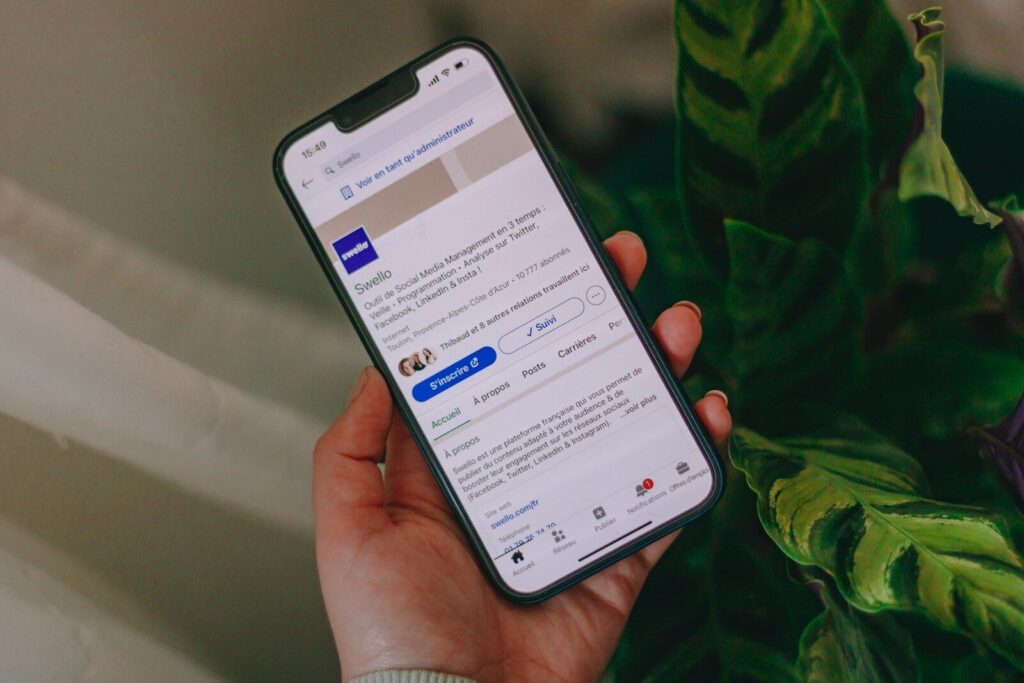
When you publish a substantive post on LinkedIn Articles, LinkedIn gets indexed for that content. When you build a Substack newsletter, Substack owns that subscriber relationship in a way that makes migration painful. When you write on Medium, Medium controls the distribution, the monetization, and the discoverability.
Your WordPress blog exists. Posts on it can rank in search. They can be emailed via MailPoet to a list that lives in a database you own. They can be syndicated to LinkedIn as teasers that link back to your site. The content strategy doesn’t change — the platform does, and the platform should be yours.
What the Right Model Actually Looks Like
The framework is simple even if the execution takes some work: your WordPress site is the hub. Everything else is a spoke.
Content originates on your site. Blog posts, event listings, menus, service descriptions, team bios, portfolio work — all of it lives at your domain first. Social media and directories point back to it. Your newsletter drives people to it. Third-party platforms exist to extend your reach, not to house your content.
On a modern WordPress block site, this is more achievable than it’s ever been. Full site editing means your whole site — header, footer, page templates, archive layouts — is editable without touching code. The Block Editor handles layouts that would have required custom development a few years ago. Synced patterns let you update a section once and have it change everywhere it appears. WordPress 7.0’s real-time collaboration means content teams can work on the same page simultaneously, which removes one of the last workflow justifications for drafting in Google Docs and never bringing it home to the site.
When it comes to third-party tools, the question to ask is: does this tool need to live on their domain, or can it be embedded on mine? A booking widget from Amelia lives on your site. An OpenTable reservation widget can be embedded on your site. A GiveWP donation form is on your site. A Calendly link in an email is fine — but your scheduling page should live at yoursite.com/schedule, not calendly.com/yourname. The distinction matters because the visitor, and the traffic, and the analytics credit, all stay on your property.
Your Google Business Profile is a legitimate and important outpost — it should be fully populated and actively managed. But it should link to your website, not serve as a substitute for it. The profile gets someone to the door; your site gets them to convert.
The Honest Version
None of the platforms mentioned in this post are inherently bad. DoorDash gets food ordered. Eventbrite sells tickets. Linktree solves a real Instagram constraint. The issue isn’t using them — it’s using them as your primary infrastructure while your actual website, the one you’re already paying for, sits underutilized.
A well-built WordPress site is a revenue-generating asset with a measurable return. Every piece of content, every conversion, every visitor you route through your own domain is an investment in that asset. Every piece you route through someone else’s is an investment in theirs.
The question isn’t whether to use third-party tools. It’s whether you’ve thought about which ones actually need to own your content — and which ones are sitting between you and your audience for no good reason.